Showing posts with label apps. Show all posts

Thursday, December 4, 2014

Studio

Although I like taking and editing pictures, I have tried to create a cool design on my pictures by writing quotes or phrases, but I really didn’t get the look that I am looking for. A few days ago, I discovered an app for designing. Even if you don’t have a great skill in designing, you will get an awesome result with this app.

Ok, let me explain the app. The app named is Studio. It is almost like the Instagram app. You have to create your own account to be able to use the app. You can follow people and like their work, but what is unique in this app is that you can mark the photo you like and it will be saved in your account.

The most great think in this app is the remix. What the remix feature does is that it lets you use other people’s designs or quotes. That is not all. Under the image that you use the remix feature in, you will see (inspired by “someone”). This is to save other people copyright. So when you press there, you will see who has used this design or quotes and you will reach the person who created it. Here are two examples of using the remix feature:


I didn’t like the line and the compass here because they didn’t work well with my image, so I deleted them


Here is also another creative example of someone else’s design and I used it here in my image


Yes, as you saw. You can also change or remove whatever you don’t like in that design. I have seen a lot of creativity in this app. Also, everything in this app is for free. Feel free to follow me on that app as Alnogaly. From now on, I will not make a weekly post, but from time to time, I will try to provide a great app that you can use to make your pictures better.

Sunday, November 23, 2014

Don't Worry About It!!

I have taken a billion of pictures that are not straight. This is because I was rushing or I was in a stately place. Sometimes because it is just difficult to take an even photo like the example below:


As you saw, the building in that picture was skewed. So I found an app that can fix this issue and make the picture looks great. SKEW app is created to just fix this issue. You know, I will not talk a lot. I will leave the picture below to talk:


That is it!! You will get an awesome result.

Also, there is another great app called SKRWT. SKRWT does the same thing, but in a different way.

They are both for $1.99 in the app store. If you want to have only one of them, I prefer the first one. In fact, I really have both of them because even though they make the things even, they give a different result, so if one of them didn’t give me the result that I am looking for, of course the other one will give me that. Believe me, they are both worth the money!!

Monday, November 17, 2014

Snapchat

I always want to share my daily life. A lot of people share their daily life on Instagram, but in my opinion, Instagram is not the best platform for sharing daily life. So I ignored that idea.

In September 2011 Snapchat was released. That time a lot of people talked about it, but I didn’t care. Now, I am still hearing people talk about it. Recently, I decided to have a Snapchat account.


So Snapchat is an app for sharing your moments for one day or only a few seconds. When you capture a picture, you will have some options. You can choose to post the picture in “My Story” and the picture will remain for only 24 hours which is exactly one day. Also, you can choose to send the picture to one or some of your friends, but in this case, the photo will remain from at least 1 second to maximum 10 seconds. The same thing for the video as well. And the maximum for the video is 10 seconds. There are some filters for both photos and videos. In addition, you can write and draw on both of them too.

Chatting and videoing are different with Snapchat. It is very easy to chat someone in Snapchat, but if you leave the chatting page, the message will disappear unless you don’t tap specifically on the message that you want to save. If the camera button is blue, that means the person you are chatting is online so you can press the camera button and start having a video call/chat.

Snapchat will let you know who saw your snaps in “My Story” and who took a screenshot of your snaps. Even if you send your snap to one person and that person took a screenshot, you will know that. Snapchat doesn’t have the feature that lets you know how many people have added or followed you, but you can know that by seeing how many people have seen your “My Story” snaps.


With Snapchat, photos don’t need to be perfect. I really don’t care to capture a great photo. You can’t open your Snapchat account from your computer. It is just a mobile app. Feel free to add me there, just search for Alnogaly.

Sunday, November 9, 2014

Selfie?!!!

Selfies have taken the world by storm. Even a very little kid will tell you what a Selfie is. People are obsessed by the mere fact that they can take a photo of themselves and appear very cool. Some people say that Selfie is so addictive, but the truth is that Selfie photos are a capture of fun moments by ourselves or with friends and family. Many people imagine that Selfies is a very new thing while in real sense it is not. You might even have taken a Selfie long before you knew it would be called a Selfie.


Many people must have taken pictures of themselves with analog cameras, but it was not as easy as it is with modern smartphones. Mr. Bean in his comic movies took a Selfie long before it was rendered something cool. People saw it as an awkward thing but now it is a social norm.  Selfies may be taken as a normal photo of an individual for official uses, say maybe a passport photo. However, many people take Selfie for fun moments say at the beach with friends, during a good party, or on a family reunion.


Many smartphone manufacturers have made phones so that they can capture very high resolution Selfies. A good example is the iPhone front camera. By taking clearer Selfies, more details about the environment are incorporated clearly so people will enjoy the image. Selfies are in no way a mental disorder, even dignitaries take Selfies. Even I like Selfies. They allow me to capture my best moments in my life when no one is around to take them for me. Also, while I am taking a selfie, I can capture what is in front of me with Frontback app so I will have the picture of me and of the place I am in in one photo. Take a Selfie, capture a fun moment, remember time is irreversible, and so just take it!!

Friday, November 7, 2014

How To Capture a Great Low Light Shot At Night?

Nights just started being longer, so we will spend the most of our day at night. Sometimes we want to capture a great night moment, but the light is low. In this post, I am going to tell you how to capture a great low light shot at night and how to do if you already have the low light picture. Below are 2 options that you can use in this case:

1.Cortex Camera:

Cortex Camera is an app created to capture a great low light iPhone photo. It will eliminate the grain in the picture. Also, it is created to capture a lot of images and combined them together to get a clear photo. All what you have to do is hold your breathe to avoid the vibration when you press the capture button in this app. You can see an example in this link, but you have to register on the website first.


2.iPhone camera app:

What about if you already have a night picture?

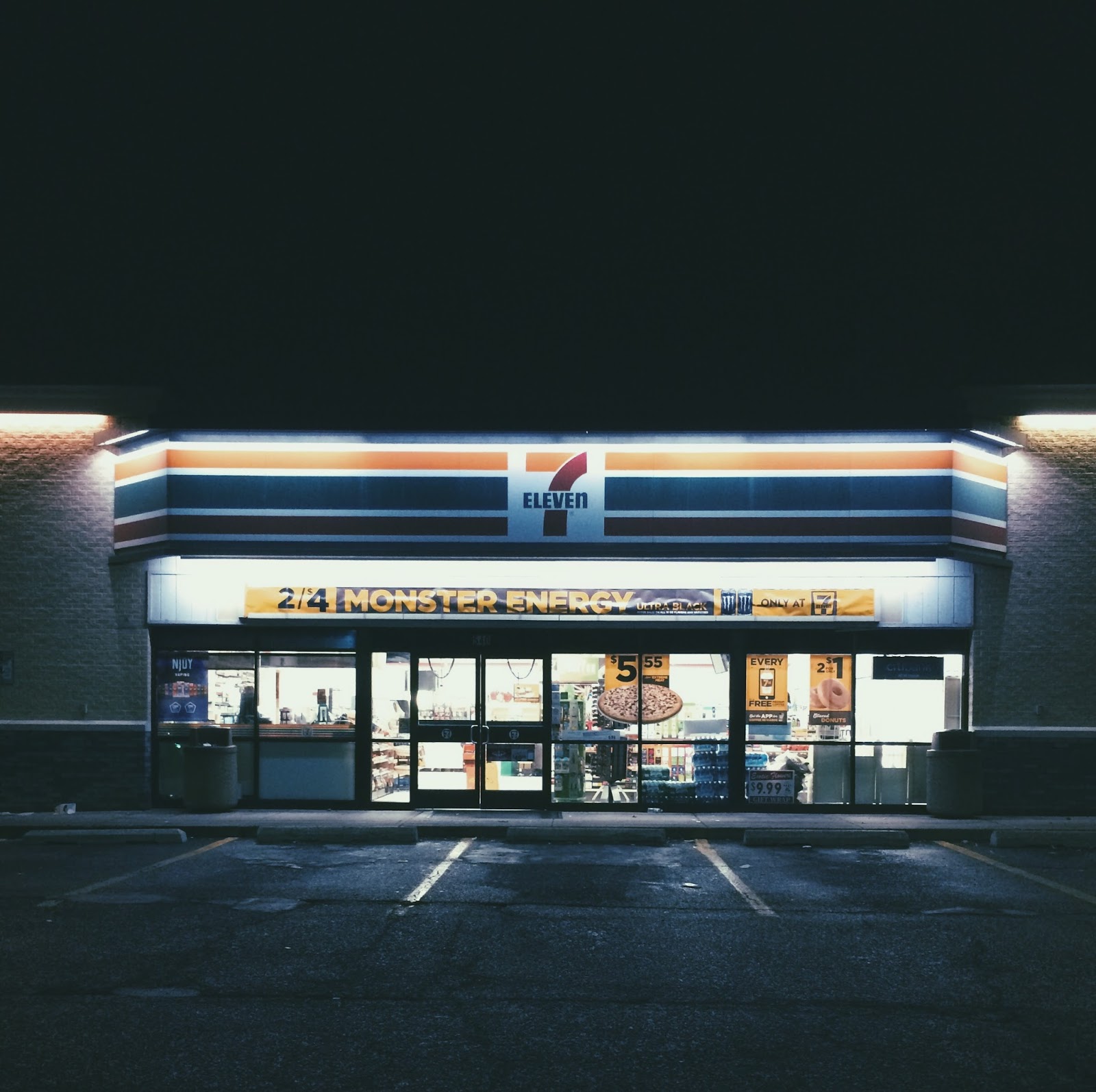
iPhone camera app will not give you a clear night shot, but you can edit your shot using the VSCOCam app. Yes, don’t be surprised. Some of the VSCOCam Series, such as C, G, F, P, and J will avoid the grain that appears in your night picture. Below is an example of how the C Series will work at night


How to get like this shot using only your original iPhone app?

  1. Set the exposure and the focus in the bright area
  2. Capture the image
  3. Apply one of the preset in the VSCOCam app
  4. reduce the exposure if the picture still has grain

  • You can also try other series that have a heavy fade.


So now with your iPhone, you don’t need to have a professional camera. You can ALWAYS get a great shot. As I have said before, you can also search for an app that you need it and you will find it in the Apple apps store.